






This guide will show you how to know if the ExpressVPN app or browser extension you are downloading or going to download is authentic. If you encounter fake ExpressVPN apps or browser extensions, or if you are unable to verify the source that offers the ExpressVPN apps or browser extensions for download, contact the ExpressVPN Support Team.
Jump to…
The risks of using fake ExpressVPN apps or browser extensions
How to get authentic ExpressVPN apps or browser extensions
The risks of using fake ExpressVPN apps or browser extensions
It is dangerous to use counterfeit ExpressVPN products. These apps and extensions may:
- Not encrypt or protect your internet traffic
- Send your traffic and data to undisclosed locations
- Add bloatware or malware to your device
- Phish for your ExpressVPN account credentials
Need help? Contact the ExpressVPN Support Team for assistance.
How to get authentic ExpressVPN apps or browser extensions
Make sure to download the ExpressVPN Windows app from the ExpressVPN website.
To verify that the ExpressVPN Windows app you are downloading is authentic:
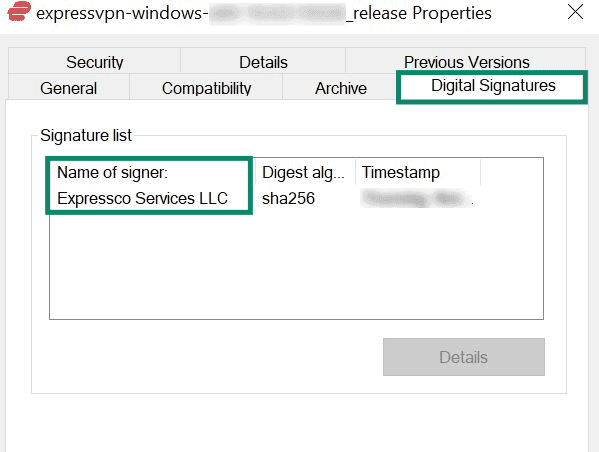
- Right-click the installer file and select Properties.
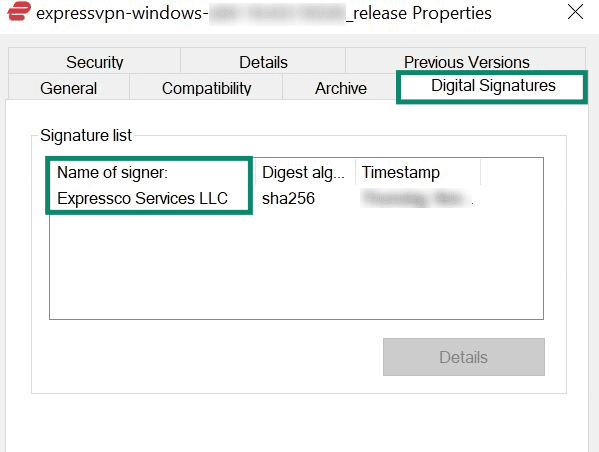
- Click the Digital Signatures tab and check that you see Expressco Services LLC as the name of signer.

Make sure to download the ExpressVPN Mac app from the ExpressVPN website.
To verify that the ExpressVPN Mac app you are downloading is authentic:
- After the download is complete, open the .zip file if your browser didn’t already. You’ll see ExpressVPN Installer.
- Open Finder, click the Applications tab in the left-side menu, and open the Utilities folder. From there, open Terminal.
- Type
spctl -a -vvfollowed by a space. Drag the ExpressVPN Installer into the Terminal window, then press Return. - Make sure you see:
accepted
source=Notarized Developer ID
origin=Developer ID Application: Expressco Services, LLC (TC292Y5427)
If you see rejected, or a different name or ID, don’t open the installer. Contact the ExpressVPN Support for further assistance.
Make sure to download the ExpressVPN Android app from the Google Play Store, Samsung Store, or Amazon Appstore. Before downloading the ExpressVPN Android app to your device, make sure you see ExpressVPN as the provider name in your device’s app store.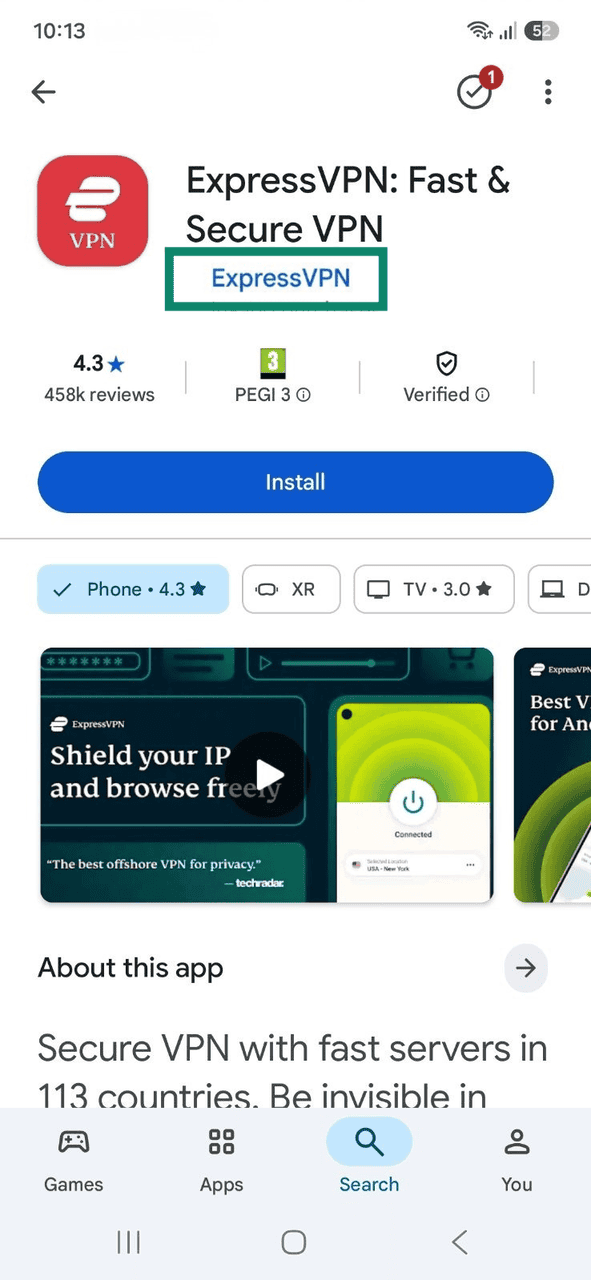
If you cannot access your device’s app store or cannot find the ExpressVPN app in it, download the ExpressVPN Android app APK from the ExpressVPN website.
Make sure to download the ExpressVPN iOS app from Apple’s App Store.
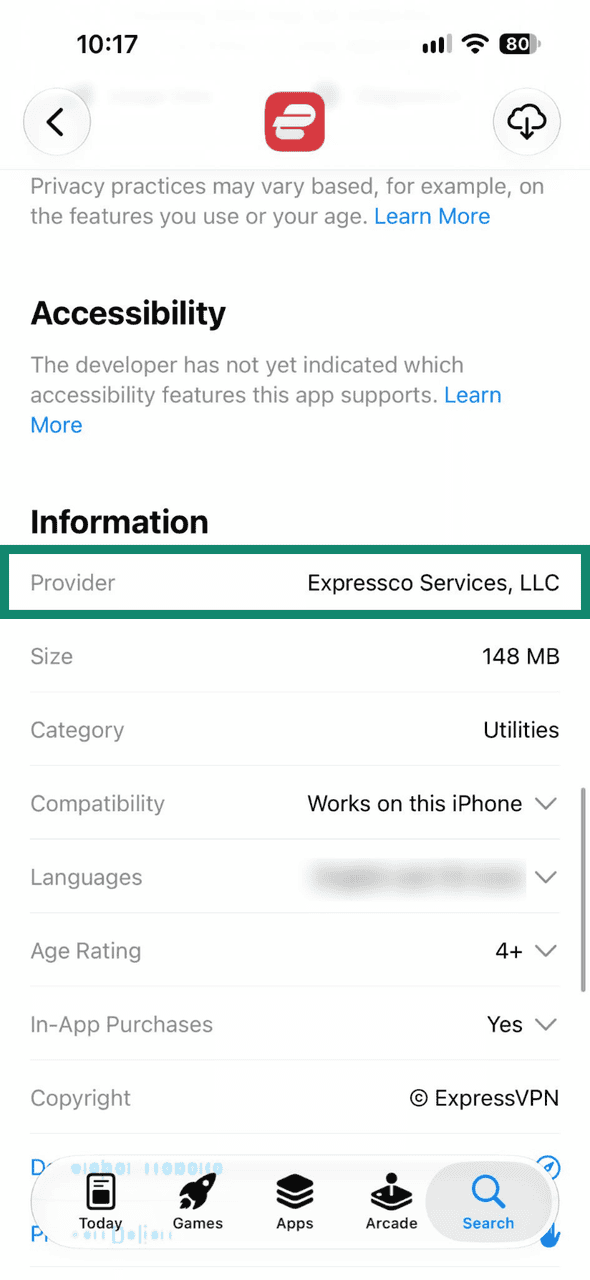
To verify that the ExpressVPN iOS app you are going to download is authentic:
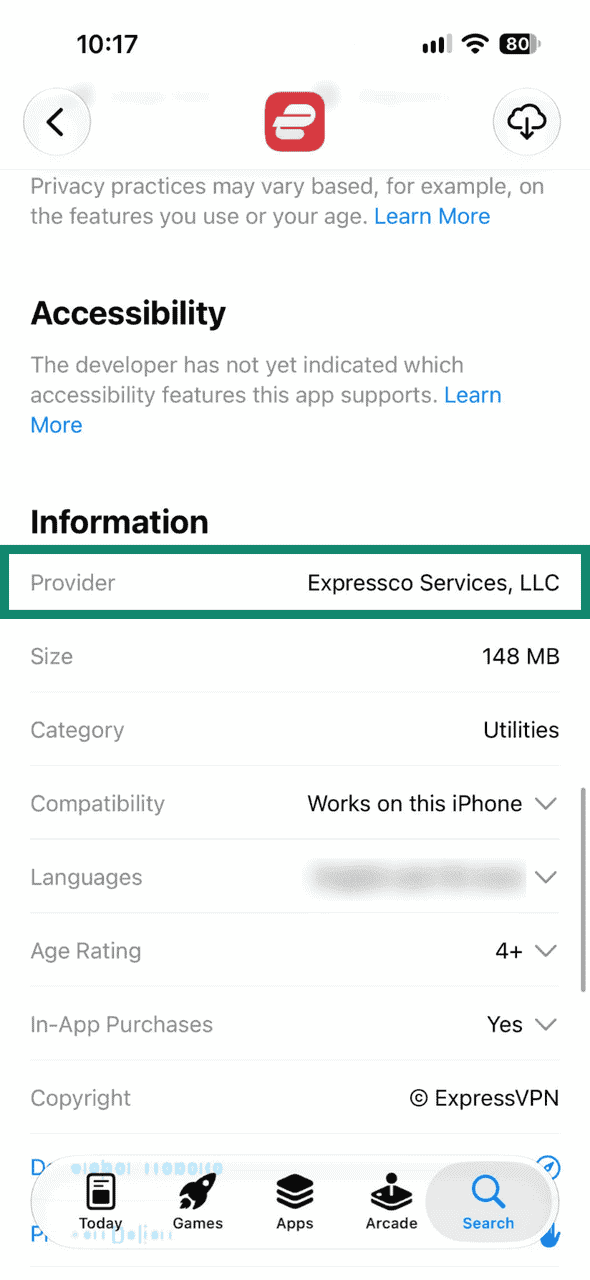
- On the App Store’s app page, scroll down to Information.
- Make sure you see Expressco Services, LLC as the provider.

Make sure to download the ExpressVPN Linux app from the ExpressVPN website.
Learn how to verify the ExpressVPN Linux app you are downloading is authentic.
Make sure to download ExpressVPN for routers from the ExpressVPN website.
Make sure to download the ExpressVPN browser extension from:
- The ExpressVPN website, or
- The browser’s web store
Need help? Contact the ExpressVPN Support Team for assistance.