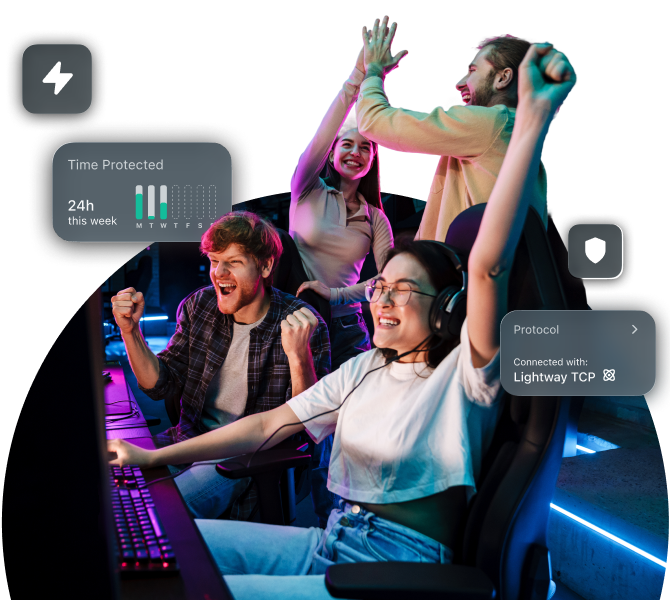


Play safely worldwide with the best VPN for gaming

ExpressVPN is a gaming VPN that delivers fast speeds and helps you avoid cyber attacks from disgruntled opponents
  • Your connection stays stable for COD and other fast-paced games
  • Stop DDoS attacks by players targeting your IP address
  • Avoid lag from ISP throttling while matchmaking in Counter-Strike 2

Get ExpressVPN for Gaming

30-day money-back guarantee*
*for first-time users

Gaming Hero@2x
  • What is a gaming VPN?
  • Why use a VPN for gaming
  • How to use a VPN for gaming (3 simple steps)
  • Choosing the best VPN for gaming
  • Devices and consoles
  • Performance tips for lower ping
  • When a VPN helps—And when it might not
  • What people are saying about ExpressVPN for gaming
  • FAQs: About VPNs for gaming
  • More gaming guides & setup tips
  • Try ExpressVPN Risk-Free for Gaming
  • What is a gaming VPN?
  • Why use a VPN for gaming
  • How to use a VPN for gaming (3 simple steps)
  • Choosing the best VPN for gaming
  • Devices and consoles
  • Performance tips for lower ping
  • When a VPN helps—And when it might not
  • What people are saying about ExpressVPN for gaming
  • FAQs: About VPNs for gaming
  • More gaming guides & setup tips
  • Try ExpressVPN Risk-Free for Gaming

What is a gaming VPN?

An optimized VPN to give gamers a fast, safe, and stable online connection


Avoid Isp Throtting When Streaming Gaming@2x 5

How does a VPN affect online gaming performance?

When using a VPN, your data first travels to the VPN server before reaching the game, so a small delay or increased lag is expected. Still, a VPN can also improve your overall speeds.

Better routing: Some ISPs use inefficient or crowded routes. ExpressVPN can connect through faster, less congested paths.

Avoid ISP throttling : ISPs may slow gaming traffic. A VPN encrypts your activity so you can maintain consistent speeds.

Faster DNS: ISPs may push data through overloaded DNS servers. ExpressVPN uses a private, high-speed DNS for quicker lookups.


Obfuscated Servers@2x 4

VPNs vs. proxies for gaming

A VPN encrypts all your internet traffic and routes it through a secure server to keep your data private, protect against DDoS attacks, and help maintain stable speeds. Because it runs at the system level, every game and app you use is protected.

A proxy only routes traffic from specific apps or browsers and does not encrypt it. Your data can still be intercepted and your real IP address may leak if the connection drops. Proxies also tend to have higher latency and less reliable performance, which can make fast-paced games feel sluggish.

Limits To Your Speed@2x 3

Ping, jitter, and packet loss explained

Ping measures how long it takes for data to travel from your device to a game server and back. It’s a type of network latency, which is the delay between an action you take and when it registers in-game. Lower ping means faster reactions and smoother gameplay.

Jitter is the variation in ping over time. Even if your average ping is low, inconsistent spikes can cause stuttering or delayed movement during online matches.

Packet loss happens when small pieces of data never reach the server. This can make your character freeze, teleport, or cause voice chat dropouts.

No VPN can’t eliminate latency altogether, but by providing stable connections and optimized routes, a gaming VPN can help keep ping, jitter, and packet loss as low as possible.

Get a Gaming VPN

Why use a VPN for gaming

Because you’re not in control of your connection or other players


Reduce Ddos Risk@2x

Reduce DDoS risk while you play

A DDoS attack floods a target’s IP address with excessive traffic to disrupt their connection. ExpressVPN masks your real IP address behind its secure servers to help prevent this. When opponents can’t see your IP address, they can’t target your network.

That said, large-scale DDoS attacks are usually aimed at gaming companies or tournament servers, not individual players. VPNs protect your connection, not the game’s servers. Still, masking your IP address adds an extra layer of privacy and reduces the risk of being singled out by angry opponents online.


With Vpn No Throttling 3x Copy

Stabilize speeds on managed networks

Networks can experience sudden slowdowns or unstable performance, especially during peak hours. A gaming VPN can help maintain your fast speeds and keep your connection steady.

Avoid throttling: Some ISPs slow down gaming traffic. ExpressVPN masks your traffic, preventing ISPs from selectively reducing your speeds.

Reduce local restriction: On shared Wi-Fi in apartments and dorms, admins often restrict certain types of traffic. ExpressVPN encrypts your data so gaming packets aren’t deprioritized.

Maintain steady throughput: By routing your traffic through its optimized servers, ExpressVPN helps reduce lag spikes that come from crowded or overused local networks routes.

Automatic Obfuscation@2x 13

Consistent routes to game servers

When you connect to a VPN server, your traffic is still routed through your ISP's server. From there, the VPN provider decides how to route your traffic out to the game server.

Better backbone networks: Premium gaming VPNs lease or own high-quality transit routes. This means your packets often avoid congested ISP paths and instead go through more stable routes.

Consistency from fixed endpoints: Because your traffic always exits from the same VPN server, you get more predictable routes compared to letting your ISP dynamically reroute traffic.


Stay Private On Public Wifi@2x 19

Extra privacy on public Wi-Fi and voice chat

Public Wi-Fi in cafés and hotels is convenient but unsafe. ExpressVPN encrypts your traffic so you can play securely while enjoying mobile games like Mobile Legends or PUBG Mobile. So go ahead, catch Pokémon, coordinate battles, or play ranked matches without exposing your personal information.

Voice chat in games such as Valorant and Apex Legends adds extra fun but can be risky. ExpressVPN masks your real IP address to prevent doxing or targeted attacks and encrypts your voice traffic to stop eavesdropping, especially on shared networks.

How to use a VPN for gaming (3 simple steps)

ExpressVPN is an easy-to-use gaming VPN

  • Get Expressvpn Now 3x

    Step 1

    Download and install a gaming VPN

    Sign up for ExpressVPN, install the app, and log in to get your VPN ready.

  • Connect To Vpn Server 3x

    Step 2

    Choose the optimal server location

    Select a VPN server near your game’s servers for the lowest ping or use Smart Location.

  • Enjoy Safer Connection 3x

    Step 3

    Launch your game and play with confidence

    Play your favorite game knowing your connection is protected and stable.

Choosing the best VPN for gaming

ExpressVPN has features that keep your gameplay fast, secure, and uninterrupted


Smart Tvs Game Consoles@2x 4

Speed and stability you can count on

ExpressVPN’s network spans 105+ countries, letting you connect to regions closest to your game servers or teammates. Our Lightway protocol is engineered for speed and establishes connections in milliseconds. That means fewer disconnects mid-match, and faster recovery when reconnecting.

With split tunneling, you can choose to route only your game traffic through ExpressVPN while leaving other apps off the tunnel to reduce bandwidth competition. Meanwhile, our parallel connection technology tests multiple routes and chooses the fastest one instantly.


Threat Manager Blocklist 6

Security features that protect gameplay

ExpressVPN’s Threat Manager blocks trackers and malicious domains that can hide in game ads or pop-ups, reducing your exposure to online risks.

In competitive titles like Apex Legends, hiding your IP address also helps to lower the risk of swatting, where someone tries to trace your location through your connection to make false reports to authorities.

Vpn For Routers Game Consoles@2x 6

Easy router setup and smart DNS for consoles

You can either download ExpressVPN on individual devices or configure it on a router to extend protection to every device connected to your home network. This includes the PlayStation 5, Xbox Series consoles, and Nintendo Switch which don’t natively support VPN apps.

ExpressVPN also offers MediaStreamer as an alternative, a Smart DNS that can help you play location-based games more smoothly. However, Smart DNS does not encrypt traffic or hide your IP address, so it should be used mainly for improving access and convenience, not for privacy or protection.


World Class Support Peach@2x 8

24/7 Support for quick fixes

Downtime in games is frustrating, especially when a connection issue keeps you from joining a Fortnite match. ExpressVPN’s 24/7 customer support is available through live chat and email to help you get back online fast.

Whether you need help setting up ExpressVPN on your router, troubleshooting lag, or finding the best server for your region, the support team responds within minutes. There’s also a detailed library of setup guides and step-by-step tutorials for every major platform to fix most issues quickly.

Devices and consoles

ExpressVPN supports all major gaming platforms and devices

Playstation@2x

PlayStation

Whether you’re exploring worlds in Final Fantasy XVI or streaming through your PlayStation, ExpressVPN keeps your connection private and stable. Set ExpressVPN up through your router or set it up on PlayStation over PC with a mobile hotspot.

Prefer a simpler option? Try Aircove*, a Wi-Fi router with ExpressVPN built in. Just connect your PlayStation as you would to any network and start gaming securely instantly.

*Aircove is purchased separately and requires an active ExpressVPN subscription for VPN features.


Xbox@2x

Xbox

Playing online on Xbox with a gaming VPN enhances your data privacy while protecting you from DDoS attacks that can disrupt matches. ExpressVPN is the perfect VPN for Xbox Cloud Gaming, helping you maintain the minimum 5Mbps speed needed for a stable, secure streaming.

Set it up through a VPN-enabled router, PC hotspot, or Aircove router to keep every match stable, private, and safe.

*Xbox Cloud Gaming is a cloud-based gaming subscription service that needs to be purchased separately.

Nintendo Switch@2x

Nintendo Switch

Get a gaming VPN for Nintendo Switch to enjoy smoother, more stable play with Cloud Versions of select titles that run on remote servers.

Since cloud gaming depends on a fast, reliable connection, ExpressVPN’s Lightway protocol, which is built for speed and stability, helps to reduce potential lag and keep gameplay steady.


Metaquest Oculus@2x

Meta Quest (Oculus)

You can’t download VPNs directly from the Oculus Store, but ExpressVPN supports installation via SideQuest so you can run it right on your headset. Simply install SideQuest on your PC, connect your Quest (2 or 3), and sideload the ExpressVPN Android app or APK.

If you prefer a more ‘set it and forget it’ method, connect your Quest to a VPN-enabled router or use the Aircove router with built-in ExpressVPN support for full network protection.

Pc Mac@2x

PC and Mac

For desktop gamers, ExpressVPN delivers the full suite of performance and protection features on Windows and Mac. Play with low-latency connections and security from IP-based targeting.

Use split tunneling (Windows only) to route just your game’s traffic through the gaming VPN and keep other apps off the tunnel. With Smart Location choosing the fastest server and Lightway keeping connections stable, ExpressVPN ensures smooth, uninterrupted gaming on PC or Mac.


Ios Android@2x

iOS and Android

Mobile game fans of titles like PUBG Mobile, Mobile Legends, and Genshin Impact can enjoy safer online play on public Wi-Fi and smoother connections on the go.

ExpressVPN’s Lightway protocol connects instantly, even when switching from Wi-Fi to mobile data. The mobile apps make ExpressVPN one of the fastest VPN for gaming as they have a built-in speed test to help you pick the best server, reducing lag and keeping your matches uninterrupted.

Vpn With Router@2x 3

Router setup for home-wide gaming

Installing ExpressVPN on your router secures every device in your home network from consoles and PCs, to VR headsets and smart TVs. Once set up, all network traffic automatically benefits from VPN protection, with no need to install separate apps.

Use Device Groups to assign different VPN server locations to specific devices, so your PlayStation can connect to 1 region while your PC connects to another. With the router handling everything in the background, you get fast, consistent performance across every platform you play on.

Performance tips for lower ping

Some easy tricks to improve your speeds with or without ExpressVPN

Fast And Reliable@2x 20

Protocol selection and Smart Location

For the lowest ping, start by letting ExpressVPN choose the best server through Smart Location, which automatically connects you to the best option based on server load, latency, and distance.

If you prefer manual control, try switching to the Lightway protocol. It’s optimized for speed and stability, establishing connections faster and keeping them steady. Testing both Smart Location and Lightway together often delivers the best balance between low latency and reliable performance.


Gaming Near Router@2x

Wired vs. Wi-Fi and DNS choices

Whenever possible, use a wired Ethernet connection for gaming instead of Wi-Fi. It cuts out interference and signal drops. If you’re gaming over Wi-Fi, staying close to your router or using the 5 GHz band can help maintain speed.

ExpressVPN also uses its own private, high-speed DNS on every server, which avoids the congestion and delays common with ISP DNS servers. Together, a wired setup and ExpressVPN’s DNS can help you achieve faster, more consistent gameplay.

When a VPN helps—And when it might not


When a VPN helps in gaming When a VPN might not help
ISP content-based throttling

If your ISP slows down game traffic during peak hours, a VPN keeps speeds stable.

Already low ping

If your ping is already excellent (<30ms), using a VPN may increase latency.

Bad routing / congested paths

If your ISP takes a long or crowded route to the game server, a VPN can reroute your connection.

Game server congestion

If the game’s servers are overloaded or experiencing problems, no VPN can fix your lag.

DDoS protection

Hiding your real IP address behind a VPN server protects you from DDoS attacks.

Local Wi-Fi issues

Weak Wi-Fi signals, interference, or an overloaded home router can’t be solved by using a VPN.

Accessing regional servers

Play with friends abroad or join servers in other parts of the world (subject to the game’s policies).

Strict game policies

Some games may block VPN traffic, so a VPN without obfuscation could affect access.

Public Wi-Fi / shared networks

Whether on campus, or café networks, a VPN will preventing snooping.

ISP allocation and limitations

If your internet plan is capped at a certain speed or the network is congested, a VPN won’t help.

What people are saying about ExpressVPN for gaming

Hear from others who have used ExpressVPN and praise the experience


As seen on

FAQs: About VPNs for gaming

Get your questions answered before installing the best VPN for gaming


Can you use a VPN for gaming?

Yes, using a VPN for gaming is legal in most countries. However, some games have terms of service that restrict VPN use for avoiding regional pricing, accessing region-locked content, or evading bans. While these aren’t criminal offenses, they can violate a platform’s user agreement and may result in temporary restrictions.

Which VPN is fast for gaming?

ExpressVPN is one of the fastest VPNs for gaming, with low latency and strong infrastructure. Its Lightway protocol maintains stable connections and speed tests show excellent performance across locations. ExpressVPN also has a wide server network across 105+ countries to help reduce ping by keeping you close to the action.

Can VPN increase FPS?

No, a VPN can’t increase FPS (frames per second) because FPS depends on your hardware performance (your CPU, GPU, and system memory), not your internet connection. However, a VPN can sometimes make your gameplay smoother by rerouting your connection through faster, less crowded paths, reducing lag spikes—without raising your FPS count.

Is there a free VPN for gaming?

Free VPNs exist, but they’re not ideal for gaming. Most have slow speeds, data limits, and crowded servers, which cause lag and disconnections. Some may also log or sell your data. For smooth, secure gameplay, a premium VPN like ExpressVPN offers a much better experience with fast servers, no data caps, and strong privacy.

Does a VPN reduce ping?

Usually, a VPN won’t reduce ping, since it adds an extra step between you and the game server. However, it can help stabilize or slightly lower ping if your ISP uses inefficient or congested routes. A VPN can smooth out lag spikes by connecting through a faster or less crowded path.

How do I use a VPN for games?

To use a VPN for gaming, subscribe to a VPN service like ExpressVPN and install the app on your device or router. Then connect to a server close to your game’s server or region for the best speed and lowest ping. Once connected, launch your game as usual to play.

Is it legal to use a VPN for gaming?

Yes, it’s legal in most countries. However, some gaming platforms’ terms of service may restrict VPN use for region switching or avoiding bans.

A few regions, like China, Russia, Iran, and the UAE, also have strict laws around VPN use. If you’re in one of these areas, check local regulations before connecting.

Can games detect VPNs?

Yes, some platforms can detect VPNs by checking for known VPN IP ranges, sudden location changes, or logins from different regions. Certain platforms may restrict or block VPN connections to prevent region switching, cheating, or fraud. ExpressVPN regularly refreshes its IP addresses, making detection less likely to stay connected.

More gaming guides & setup tips

Learn how to make your gaming sessions more exciting!

Valorant

Headshot your friends and foes from across the globe with this guide.

Wild Rift

Find out how to enjoy one of the best mobile MOBAs in any region.

Warzone Bot Lobbies

Learn how to get lobbies where you can practice your aim, or grind weapon challenges with ease.

Free Fire

The easy way to play Free Fire anywhere in the world.

Pokemon Go

Learn how to catch new shinies without leaving your house.

Fifa

Learn how to solve all the most common lag issues with FIFA / EA FC Sports.

League Of Legends

Take out the enemy base in another country by following a few simple steps.

Ps4

Learn how to secure your connection on the PS4.

Ps5
Stay safe when gaming online with the PS5.
30
Day
Money-back guarantee

Try ExpressVPN Risk-Free for Gaming

  • Play online safely knowing your connection is secure with a trustworthy gaming VPN
  • Avoid speed throttling and continue playing fast-paced games
  • Get ExpressVPN with a 30-day money-back guarantee if it’s your first time

Footer Image
Get Started