Expressvpn Glossary
Network operating system
What is a network operating system?
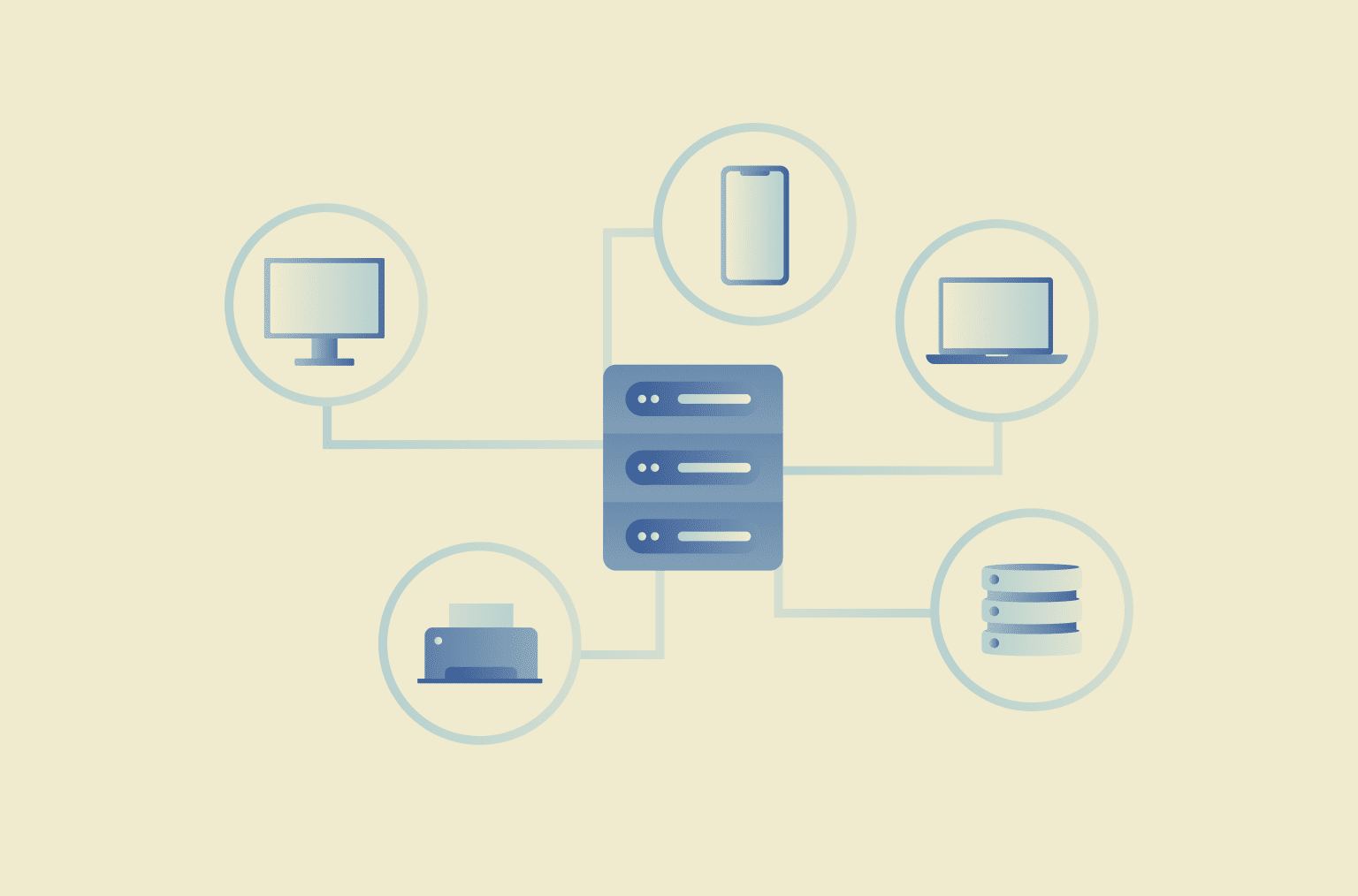
A network operating system (NOS) is designed to support and manage networked resources and services. Depending on context, it can refer to (1) a server operating system that provides shared services (such as user authentication and access control, file/print sharing, and directory services) for multiple connected computers, or (2) the system software that runs on network devices (such as routers and switches) and controls routing, switching, and security functions.
Its purpose is typically to help administrators manage access to network resources and keep network services running reliably and securely.
How a network operating system works
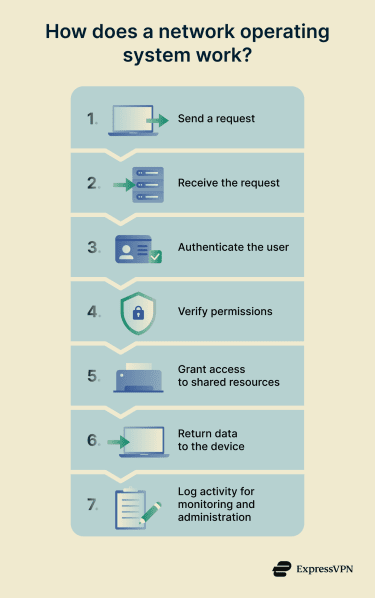
NOS manages how multiple computers and devices use network services by providing common network functions and controls. It typically:
- Manages user authentication and access rights so only authorized accounts can access specific network services.
- Coordinates access to shared resources and services, such as files, printers, and applications, using network services and protocols.
- Maintains security policies and logging by recording security-relevant events (for example, authentication attempts and access activity) for monitoring and auditing.
- Supports communication between devices by enabling network communication and resource requests across connected systems.
- Provides centralized administration in many client-server designs, where core services run on servers that manage clients.
Types of network operating systems
NOS is often grouped by whether network services are distributed across peers or centralized on servers:
- Peer-to-peer (P2P) NOS: Networked computers share resources directly with one another, typically without a dedicated central server or centralized management. This approach is commonly associated with smaller networks.
- Client-server NOS: One or more dedicated servers provide and manage network services, and client devices request access to those services. This is often described as a server-based approach.
Compared with client-server designs that rely on centralized services (for example, directory services for identity and administration), P2P designs generally provide fewer centralized controls because management and accounts are handled per computer rather than centrally.
Benefits and limitations of a network operating system
Benefits and use cases
- Centralized user and resource management: NOS can centralize management of user accounts, groups, and access to shared network resources (often through directory services). This is commonly used in business networks and in schools or universities to manage large numbers of accounts and permissions.
- Stronger security and access control: Centralized authentication and authorization can enforce credential-based access and permission-based resource use, which is generally easier to administer consistently in client-server designs.
- Scalability for large networks: Centralized services and administration can support growth in users and devices without duplicating configuration on each machine.
- Streamlined sharing of files, printers, and applications: Shared services can be provided consistently across the network through centrally managed resources (often via servers).
- Easier network monitoring and troubleshooting: Centralized logging can support auditing and investigation of access and operational events, including activity across distributed or remotely accessed networks.
Limitations and risks
- Requires more technical knowledge to configure: Incorrect design or configuration of permissions and policies can expose sensitive files or systems through overly broad access.
- Higher cost in many server-based implementations: Server infrastructure, licensing (in many environments), and ongoing administration can increase implementation and maintenance costs.
- Server-based NOS can create a single point of failure (without redundancy): Central services can reduce availability if a key server fails. The same centralization can amplify impact if that server is compromised, potentially granting broad access across the network.
- P2P NOS may lack robust security and centralized control: Less centralized policy enforcement and oversight can lead to inconsistent access control and monitoring across devices.
- Security posture depends on maintenance and credential strength: Outdated NOS versions may contain unpatched vulnerabilities, and weak passwords increase the likelihood of unauthorized access.
Network operating system vs. distributed operating system
NOS supports shared access to network resources (such as users, files, and printers) across computers that remain separate systems. It provides network services that help connected machines communicate and share resources.
A distributed operating system (DOS) is designed to make multiple machines behave like a single system. It coordinates resources and execution across nodes so work can be distributed and managed as one environment.
Further reading
- How to choose a router: Top mistakes to avoid and pro buying tips
- Network architecture: Building secure and modern networks
- Network topology: Best practices for modern networks