 Celebrate with up to 80% off
What is rooting? How it works, risks, and alternatives


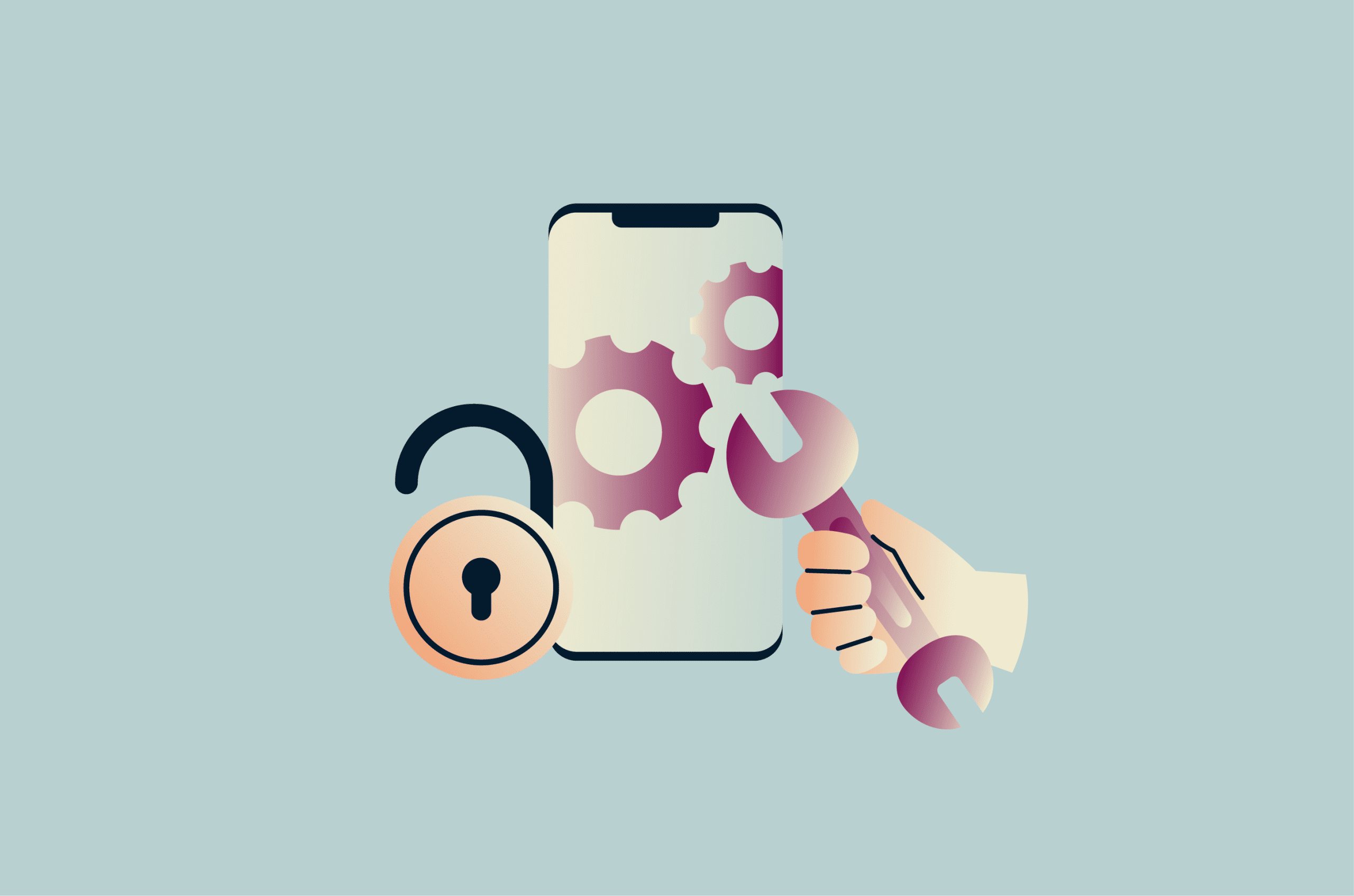
Rooting gives more control over a phone, but it can also affect security, stability, app compatibility, and support. Most online advice either oversells the benefits or focuses only on worst-case scenarios, making the trade-offs hard to assess.
Please note: This article is for general educational purposes only and is not legal advice. Rooting laws, warranty rules, repair policies, and service restrictions vary by country, manufacturer, carrier, device, and service provider.
What is rooting?
Rooting is the process of gaining administrative (or superuser) access to a device. With root access, a user can alter system files, settings, and permissions that the operating system normally blocks.
The term applies primarily to Android, but other devices can also be rooted. On iPhones, a comparable permissions change is called jailbreaking, though it works differently.
Rooted vs. hacked: What's the difference
People sometimes confuse “rooting” with “hacking” because both involve gaining access beyond normal app permissions. The key difference is authorization: rooting is owner-initiated device modification, while hacking is unauthorized access or compromise.
A rooted phone is essentially a form of modding. The device owner intentionally changes the device's default restrictions to enable advanced system management, often using unofficial tools and procedures.
Hacking involves an attacker compromising somebody’s phone, with or without root access. It can rely on malicious apps, spyware, phishing, software vulnerabilities, stolen credentials, or other attack methods.
Rootkit malware can give an attacker privileged system-level control and is designed to hide its presence. From there, it may help attackers avoid detection, steal data, monitor activity, or install additional malware.
Also read: How to know if your phone has a virus?
How rooting works
Android is based on the Linux kernel and uses Linux-style process isolation, user IDs, and file-level permissions as part of its security model. By default, ordinary apps and users don't have root-level access. Android also sandboxes apps, preventing them from reading or changing each other’s private files.
Rooting changes the device’s software environment, allowing root-capable software to grant superuser access after the phone boots. The bootloader, an early startup program that runs when the phone turns on, loads the operating system and works with verified boot checks to determine whether trusted system software should run.
Most Android devices ship with a locked bootloader. Unlocking it allows certain device partitions to be reflashed, which can make it possible to install modified software, root tools, modules, custom recoveries, or alternative operating systems.
Unlocking the bootloader is a prerequisite, but it's not the same as rooting. The phone only becomes rooted once root-capable software is installed and active. That said, an unlocked bootloader on its own already changes how the device behaves and may affect security warnings, data resets, app compatibility, and verified boot status.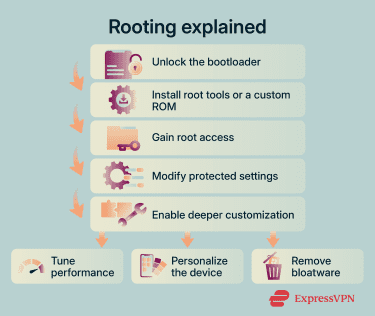
Why people root Android devices
Generally speaking, people root Android devices to make changes that stock Android doesn’t allow. Specific reasons fall into a few categories.
Customization and control
Rooting gives the owner deeper control over the device than stock Android normally allows. Examples include:
- Visual personalization: Root-enabled apps allow deeper customization than regular store themes. They can change startup animations, system-wide fonts, interface behavior, and emoji styles.
- Custom system-wide features: Because root-enabled tools can work outside normal app restrictions, they can support features that apply more consistently across apps. For example, a translation module can automatically translate text across services lacking that built-in capability. Some modules may also bypass screenshot restrictions in certain apps, though this can vary by app, Android version, and device setup.
- Ad-free browsing: Some root-based ad blockers can modify system files, such as the hosts file, to block known ad domains across all apps on the device. Non-root ad blockers often use Android’s local virtual private network (VPN) service to filter traffic, which may increase battery usage or network overhead depending on the app and configuration.
- App-level firewall rules: Rooting can pair ad blocking with firewall and proxy rules for tighter traffic control. A firewall can block selected apps from connecting to the internet. A proxy setup can route chosen traffic through a specific server or local filter. This limits background connections and reduces unnecessary data sharing.
- More granular privacy controls: Some root-based privacy tools offer controls beyond Android permissions, such as limiting the use of selected identifiers, restricting background activity, or feeding apps randomized data, such as spoofed locations. Their effectiveness varies by app, Android version, and tracking method.
- Deeper file access and backups: Specialized file managers and backup apps can access hidden data folders and copy more app data, settings, and system files than standard backup tools. This can create a more complete local backup, though it may still exclude cloud-only data, hardware-protected keys, digital rights management (DRM)-protected content, and some app-specific encrypted data.
Performance optimization
Some people root devices to replace the manufacturer's software or to adjust low-level performance settings.
A custom read-only memory (ROM) is a replacement Android-based operating system or firmware image. It replaces the stock software with a different version, which may include its own bundled apps, interface settings, and performance defaults. This can affect how the phone manages processing power, battery use, and background activity, and may make some devices feel faster.
Root can also allow more granular tuning when the device, kernel, and tools support it. Kernel managers may allow overclocking of the central processing unit (CPU) or graphics processing unit (GPU), which can improve performance in some workloads, though gains aren't guaranteed. Pushing the CPU harder can generate more heat. If the phone gets too hot, it may reduce CPU or GPU clock speeds to protect the hardware, an effect called thermal throttling. This can make the device slower instead of faster.
On supported devices, charge-limiting tools can stop or slow charging at a preset level to reduce long-term battery wear, though this trades some daily runtime for potential battery longevity. Battery tools can also apply stricter background limits to selected apps, although Android already includes built-in power-saving features such as Doze and App Standby.
Removing bloatware and default apps
Root-level customization can include removing default apps that Android typically doesn't allow users to delete, such as preinstalled manufacturer and partner services. This can reduce clutter, background activity, and unwanted updates, although the amount of user-available storage freed depends on how the device stores preinstalled apps.
Some people do this specifically to limit reliance on default system apps and third parties. They may replace them with free, open-source alternatives they can readily inspect or choose based on community trust.
However, removing the wrong system package can also break features or cause instability, so disabling an app is often safer than deleting it.
Is rooting legal, and does it void your warranty?
Rooting a phone is generally legal in many places, but the legal position depends on the country, device type, software license terms, and what someone does after gaining root access. Manufacturers strongly discourage rooting, and modified software can affect warranty coverage, repair eligibility, and support. However, whether a warranty claim can be denied depends on local law, the warranty terms, and whether the modification is related to the fault.
Unofficial or non-Original Equipment Manufacturer (OEM) custom ROMs may be cryptographically signed by their own developer, but that signature usually isn't trusted by the phone's verified boot chain. On a locked Android device, the bootloader normally boots only software signed by the device’s configured root of trust.
Custom ROMs and other unofficial software are not tested against every phone’s hardware and software configuration. They may break functionality, cause instability, or leave the device unusable until restored. They can also make troubleshooting harder because it may be unclear whether a fault is due to hardware, official software, or a modification. Repair providers may need to restore official software before troubleshooting, may charge for extra diagnostic work, or may deny coverage if the modification caused the problem.
On Samsung devices, for example, rooting or flashing unofficial software can trip the Knox Warranty Bit and change the phone’s protected software state. Some Knox-based protections or services will stop working, and reinstalling official software doesn't reset the bit. The bit is a hardware fuse tied to the device’s processor, not a replaceable component. Once tripped, it's effectively permanent; reversing that hardware state would require replacing the motherboard.
Even outside warranty, rooting can raise repair costs because servicing a modified device may require extra diagnostic or restoration work.
Risks of rooting
Rooting goes beyond warranty and repair concerns, even when the process appears to work as intended.
Unlocking the bootloader can trigger app compatibility issues because some apps use Google Play Integrity signals to check device, app, and account integrity. A modified bootloader state, root access, or custom ROM can cause some apps to block access, limit features, or require extra verification.
This all affects baseline expectations when using the phone and introduces a few additional risks to consider.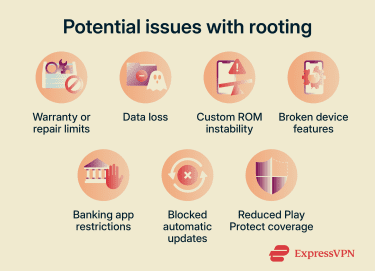
Software instability and potential data loss
On Android devices that support bootloader unlocking, the unlock process typically triggers a factory reset before the device allows reflashing. This helps protect stored data if someone with physical access tries to unlock the bootloader, but it also erases all settings, user data, and third-party apps from internal storage. Anyone considering a root should back up important data first, while remembering that some app data, secure wallet/payment data, and cloud-only content may not be included in a standard backup.
In some cases, custom ROMs may be less stable if they lack full support for proprietary drivers, firmware, or manufacturer-specific components.
Some features might stop working properly or stop altogether, including key hardware functions like the camera or fingerprint reader. Overall performance can suffer too if a custom kernel changes how the phone manages the CPU, GPU, heat, or background activity.
Banking and payment app restrictions
Some Android apps use integrity checks to determine whether a phone is trusted enough to run protected features. During these checks, Play Integrity can return signals about the app, device, account, and environment. App developers then decide how to respond based on their own risk rules.
An unlocked bootloader, root access, or a custom ROM can prevent a device from receiving higher device-integrity labels such as MEETS_DEVICE_INTEGRITY or MEETS_STRONG_INTEGRITY, though some devices may still receive MEETS_BASIC_INTEGRITY.
This can affect apps that handle banking, payments, enterprise access, private messaging, or other sensitive features. Depending on the app’s policy, a failed or low-trust integrity check may cause the app to stop running, disable certain features, display a warning, or require additional verification.
Loss of OTA updates
Over-the-air (OTA) updates are built for the phone’s expected software state, so changing system files, replacing recovery software, or installing a different operating system can prevent official updates from installing correctly. In some cases, new OTAs may still download but fail to install, especially when an incremental update expects the partitions to remain unchanged.
Custom ROM users may need to manage updates through the ROM’s own updater, a compatible recovery, or manual flashing, depending on the ROM and device.
Note: Even with the built-in system and services intact, new patches aren’t guaranteed. On some devices, unlocking the bootloader may affect official update eligibility or stop OTA delivery, depending on the manufacturer, carrier, and device policy.
Security vulnerabilities and malware exposure
A rooted phone may require more active security maintenance, especially if official OTA updates no longer install normally or the device relies on a custom ROM maintainer for patches. Missed updates can create security gaps, potentially exposing the phone to new exploits.
Rooting also involves installing third-party tools and modules, which requires careful vetting and permission controls. Root tools from unofficial repositories could contain malware or request more access than they need.
On setups using the Android Open Source Project (AOSP) or custom ROMs without Google Mobile Services, some Google-provided protections, such as Play Protect, may be missing. Google Play Protect checks apps at install time and periodically scans installed apps for harmful behavior. If it detects a potentially harmful app, it may warn the user, disable the app, or remove it automatically. This can include apps that attempt to abuse permissions, gain elevated access, hide from users, or engage in other malicious behavior.
Also read: The ultimate guide to phone security: How to protect your mobile device.
Should you root your Android device?
Rooting is usually unnecessary for everyday Android use, especially on newer devices that still receive updates and support. It can also affect security, warranty coverage, repair eligibility, app compatibility, and software updates.
Modern Android already covers many older root use cases, with stronger privacy controls, permission prompts, notification controls, theming, and battery-management features than earlier versions. Some major Android manufacturers now support newer devices for longer than before, though support durations still vary by brand, model, region, and device tier.
For most people, the key question is whether a specific root-only feature is worth the trade-offs. If the goal can be achieved with standard Android settings, trusted apps, or manufacturer-supported tools, those options usually carry fewer risks.
Safer alternatives to rooting
Many users may want some benefits associated with rooting without risking a bricked device or app compatibility issues. Less invasive options can solve many of the same problems, especially on modern devices, though they still need careful setup:
- Removing bloatware: Tools like Universal Android Debloater can clean up non-rooted Android devices by uninstalling selected system packages for the current user through Android Debug Bridge (ADB). Its package lists cover Google, Facebook, AOSP, manufacturer, and carrier apps. Removing or disabling the wrong package can break features, cause boot problems, or require a factory reset or firmware restore.
- Customization: Launchers like Niagara, Lawnchair, and Smart Launcher offer more personalization if stock Android themes and settings feel too rigid. For example, they can change the home screen, app drawer, icons, widgets, wallpapers, and launcher gestures, depending on the app.
- Privacy and adblocking: Non-root Domain Name System (DNS) filtering can reduce ads, tracking, and connections to known malicious domains, though it won’t catch everything. Some security apps and VPNs offer similar blocking features; for example, ExpressVPN’s Threat Manager helps block connections to known trackers and malicious sites. Debloating can further aid privacy by reducing background services and limiting app permissions.
- Root-like control: Shizuku can let supported apps use elevated system APIs through ADB permissions on non-rooted devices. ADB creates a command-line link between a computer and a phone, while Shizuku lets supported apps use system-level capabilities without full root access. These tools can help supported apps disable or uninstall packages for the current user, run selected shell commands, change some system settings, and enable advanced automation, but they don't provide unrestricted root access.
Also read: How to upgrade your security with the best privacy apps and essential Android settings.
FAQ
Does rooting erase phone data?
Can rooting be reversed?
Will rooting stop Android updates?
Can apps detect a rooted phone?