Threat Manager: Memblokir aplikasi dan pelacak situs dengan ExpressVPN
Mencegah pelacakan yang tidak diinginkan di seluruh aplikasi dengan perlindungan otomatis tingkat perangkat
- Memblokir pelacak dan domain berbahaya di seluruh sistem, bukan cuma di peramban
- Mencegah aplikasi mengirim data kebiasaan Anda ke pelacak pihak ketiga
- Dapatkan lapisan perlindungan dan privasi tambahan hanya dengan 1 langganan ExpressVPN
Mulai Coba Gratis Bebas Risiko Anda
JAMINAN UANG KEMBALI 30 HARI BAGI PENGGUNA PERTAMA KALI

Apa yang diblokir Threat Manager dan mengapa itu penting
Memblokir aplikasi dan situs web dari domain yang diketahui berbahaya dan melacak

Bagaimana pelacak mengumpulkan dan menggunakan data Anda
Sebagian besar aplikasi dan situs web mengirimkan data ke berbagai pelacak pihak ketiga setiap kali Anda menggunakannya. Itu bisa jadi mencakup apa yang Anda lihat, cara Anda berinteraksi dengan konten, dan informasi tentang perangkat dan koneksi Anda.
Jaringan iklan dan platform analisis menggunakan data ini untuk membangun profil sebagai target iklan, personalisasi, dan pelacakan lintas aplikasi. Aktivitas Anda di satu aplikasi dapat memengaruhi iklan dan konten yang Anda lihat di tempat lain.

Risiko tersembunyi dalam aplikasi dan situs web
Kebanyakan pengguna tidak menyadari kalau browser atau peramban mereka hanya sebagian kecil saja dari aktivitas online mereka. Pelacak kebugaran, aplikasi perpesanan, buletin, aplikasi streaming, dan game ponsel secara rutin mengirim data kepada pelacak pihak ketiga untuk menyusun kebiasaan Anda.
Koneksi ini terus berlanjut bahkan ketika aplikasi tidak sedang digunakan, menciptakan celah privasi yang tidak dapat ditangani pemblokir pelacak yang hanya peramban.

Bagaimana Threat Manager atau Pengelola Ancaman menghentikan data mencapai pelacak
Threat Manager (Pengelola Ancaman) berjalan di perangkat pada tingkat DNS, mencegat permintaan koneksi sebelum keluar.
Ketik aplikasi atau layanan berusaha mengirim data ke domain, Threat Manager membandingkannya dengan daftar blokir pelacak dan domain berbahaya yang diketahui dan di-update secara rutin. Domain dalam daftar blokir dicegah untuk menerima data Anda, menghentikan pelacakan dari sumbernya di seluruh aplikasi.
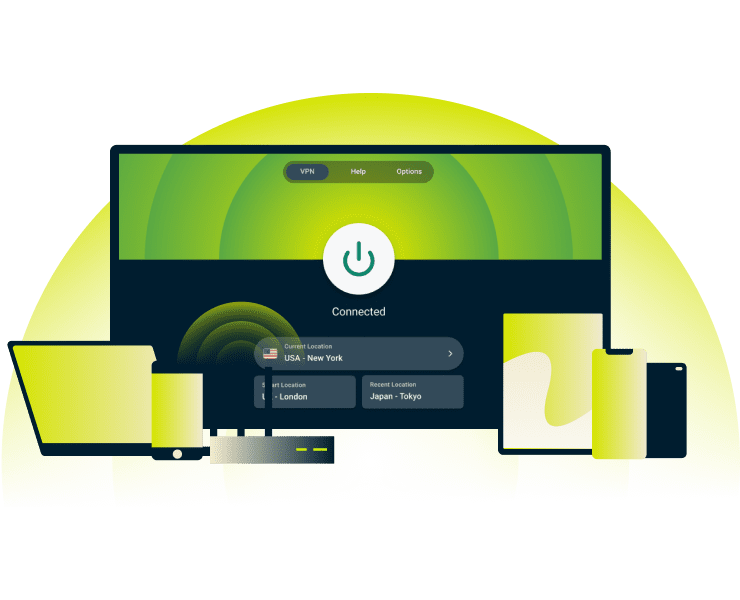
Lindungi lebih dari sekadar aktivitas browser Anda
Tidak seperti ekstensi browser yang hanya melindungi trafik web, Threat Manager memblokir pelacakan di seluruh aplikasi yang terinstal. Klien email, aplikasi penyimpanan cloud, utilitas perangkat, dan aplikasi pendukung IoT semuanya terhubung di latar belakang ke server analisis.
Bahkan ketika Anda berfokus pada satu tugas, Threat Manager memantau dan memblokir lusinan proses latar belakang secara simultan.

Privasi lebih kuat bersama dengan VPN Anda
Bagaimana cara kerjanya VPN? VPN mengenkripsi trfik internet menyembunyikan alamat IP, dan menjaga agar aktivitas Anda tetap tersembunyi dari ISP, administrator jaringan, dan pelacak pada jaringan bersama. Tapi perlindungan ini tidak mencegah aplikasi dan situs web mengirimkan data perilaku Anda ke pihak ketiga.
Pemblokir ancaman menambahkan perlindungan lapisan kedua dengan mencegah koneksi pelacak di tingkat perangkat, sementara VPN mengamankan kanal terenkripsi.
Bagaimana mengaktifkan Threat Manager
Memblokir pelacak dengan Threat Manager hanya dengan satu tombol

Hubungka ke VPN menggunakan protokol Lightway atau ‘Otomatis’
Mendaftar pada ExpressVPN dan unduh aplikasinya untuk perangkat Anda.
Threat Manager* memerukan protokol Lightway atau ‘Otomatis’ untuk berfungsi. Anda dapat memilih aplikasi ini dalam pengaturan Anda aplikasi di bagian ‘Protokol’.
*Threat Manager atau Pengelola Ancaman tercakup di alat privasi dalam paket Perlindungan Tingkat Lanjut ExpressVPN dan memerlukan langganan Lanjutan atau Pro
Akses 'Perlindungan Lanjutan' dalam aplikasi Anda
Buka ‘Peningkatan’ atau ‘Preferensi’, tergantung pada platform Anda, untuk menemukan ‘Perlindungan Lanjutan’, lokasi dari Threat Manager. Jalurnya mungkin berbeda-beda menurut perangkat, tapi alat ini diberi label dengan jelas dalam pengaturan aplikasi Anda.
iOS: Ketuk Pengaya > Perlindungan Lanjutan
Android: Ketuk Pengaya > Perlindungan Lanjutan
Mac: Klik Menu > Preferensi > Perlindungan Lanjutan
Windows: Klik Menu > Opsi > Perlindungan Lanjutan
Aktifkan ‘Blokir Pelacak’ di ‘Perlindungan Lanjutan’
Di Linux, Anda dapat mengaktifkan Threat Manager dari dalam Terminal dengan menjalankan perintah berikut ini:
Untuk Linux, jalanakan perintah Terminal ini:
- Untuk memblokir pelacak, masukkan perintah: expressvpn preferences set block_trackers true
- Untuk memblokir situs berbahaya, masukkan perintah: expressvpn preferences set block_malicious true
- Jika Anda mengggunakan Aircove, Threat Manager sudah terintegrasi pada router.
Untuk informasi selanjutnya tentang pengaturan Threat Manager dan Advanced Protection (Perlindungan Lanjutan), kunjungi Pusat Pengetahuan (Knowledge Hub) kami.
Perangkat yang didukung dan persyaratan
Lihat perangkat mana saja yang menjalankan Threat Manager dan apa yang diperlukan untuk menggunakannya
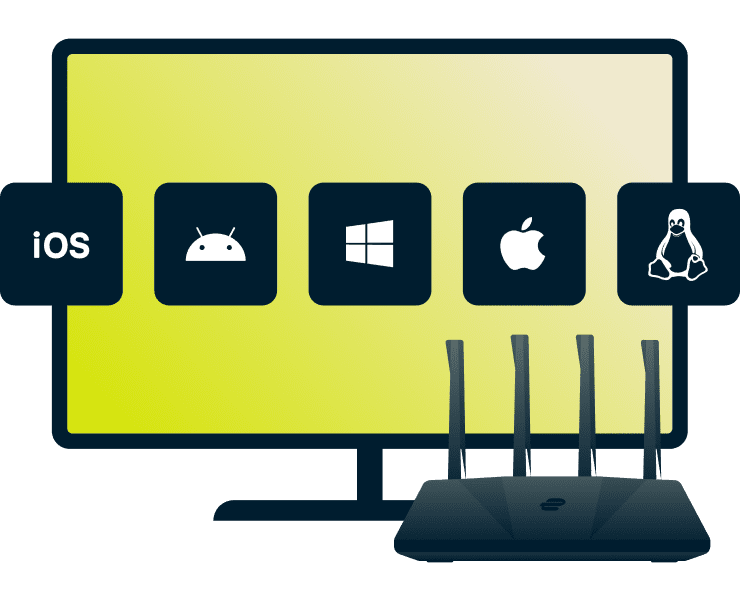
Threat Manager dan platform yang didukung
Threat Manager berfungsi di sebagian besar perangkat yang mendukung aplikasi ExpressVPN, termasuk:
- Mobile & Desktop: iOS, Android, Mac, Windows, Linux
- Smart TV: Apple TV* (hanya memblokir pelacak)
- Router: ExpressVPN Aircove (Perlindungan penuh VPN)
*Pemblokiran pelacak pada Apple TV terbatas pada permintaan yang berbasis DNS saja, sementara Aircove menyediakan perlindungan tingkat VPN di seluruh sistem.

Persyaratan teknis
Untuk menggunakan Threat Manager secara efektif, pengaturan VPN Anda harus memenuhi beberapa persyaratan berikut:
- Versi aplikasi ExpressVPN terbaru untuk perangkat Anda
- Protokol: Lightway atau ‘Otomatis’ (tidak mendukung OpenVPN)
- Koneksi VPN: Harus aktif untuk Threat Manager untuk memblokir permintaan (kecuali Airсove)
- Linux: Versi CLI 3.0 atau yang lebih baru
Manfaat dalam kehidupan nyata menggunakan Threat Manager
Mencegah pelacakan yang tak diinginkan dan memegang kendali atas aktivitas online Anda

Mencegah sebagai target iklan dan pengumpulan profil
Aplikasi berita atau situs web melacak apa yang Anda baca, berapa lama Anda habiskan membaca artikel, dan tautan mana saja yang Anda klik, kemudian menyerahkan data ini kepada pihak ketiga untuk menyusun konten dan iklan.
Threat Manager memblokir permintaan pelacakan ini sebelum mencapai servernya, sehingga mencegah para pengiklan menyusun profil mendetail di seluruh aplikasi dan situs web. Hasilnya: lebih sedikit iklan yang dikhususkan (personalized), perlindungan atas pengaturan harga yang berdasarkan aktivitas (diskriminasi harga), dan pengalaman online yang lebih bersih.
Kontrol lebih besar atas izin aplikasi
Dengan memblokir otomatis koneksi pelacak di seluruh aplikasi, Threat Manager memberikan privasi yang lebih baik di seluruh sistem tanpa perlu pengaturan manual.
Pasang sekali dan lupakan. Tidak perlu memeriksa izin aplikasi satu per satu atau menyesuaikan pengaturan untuk tiap aplikasi. Daftar blokir otomatis diperbarui secara teratur.
Perlindungan Threat Manager vs. hanya browser
| Pemblokir pelacak ekstensi browser | Threat Manager ExpressVPN | |
|---|---|---|
| Memblokir pelacak di seluruh sistem | ✘ | ✔ |
| Memblokir koneksi ke situs jahat | ✔ (hanya browser) | ✔ |
| Pengaturan satu ketukan | ✘ | ✔ |
| Pengaturan otomatis | ✘ | ✔ |
| Bebas dari pelacakan pihak ketiga | ✘ | ✔ |
| Mengenkripsi semua trafik | ✘ | ✔ |
| Berfungsi di banyak perangkat | ✘ | ✔ |
Mengapa memilih ExpressVPN untuk perlindungan ancaman?
Cari tahu mengapa ExpressVPN menyediakan privasi online terlengkap
-
![Teknologi TrustedServer dan diaudit secara independen Teknologi TrustedServer ExpressVPN berjalan pada server hanya RAM yang menghapus semua data s...]()
Teknologi TrustedServer dan diaudit secara independen
Teknologi TrustedServer ExpressVPN berjalan pada server hanya RAM yang menghapus semua data setiap kali booting. Ini merupakan salah dari banyak manfaat fitur keamanan tingkat lanjut yang mencegah sistem mengumpulkan dan menyimpan data koneksi pengguna audit independen reguler memverifikasinya.
-
![Dirancang untuk privasi: Tanpa mencatat, tidak ada yang diserahkan Kantor pusatnya di Kepulauan Virgin Britania, ExpressVPN diuntungkan dengan perl...]()
Dirancang untuk privasi: Tanpa mencatat, tidak ada yang diserahkan
Kantor pusatnya di Kepulauan Virgin Britania, ExpressVPN diuntungkan dengan perlindungan privasi yang di bawah undang-undang lokal. Menganut kebijakan ketat tanpa pencatatan, perusahaan tidak menyimpan informasi terkait aktivitas online, koneksi, atau data pribadi Anda.
-
![Dukungan langsung 24/7 dan uji coba bebas risiko Pelanggan pertama kali dapat mencoba ExpressVPN bebas risiko dengan jaminan uang kembali 30 hari k...]()
Dukungan langsung 24/7 dan uji coba bebas risiko
Pelanggan pertama kali dapat mencoba ExpressVPN bebas risiko dengan jaminan uang kembali 30 hari kami*.
Jika tidak memenuhi kebutuhan Anda, tim dukungan multibahasa 24/7 kami tersedia melalui chat langsung atau email untuk membantu dalam pengaturan atau permintaan pengembalian dana.



Pengguna yang membeli langganan melalui Apple App Store (iTunes) atau Google Play Store tidak berhak mendapatkan jaminan uang kembali 30 hari dari ExpressVPN. Sebagai gantinya, pengguna dapat mengajukan permintaan pengembalian dana melalui App Store atau Play Store, sesuai kebijakan dan kebijaksanaan Apple atau Google.
Apa kata orang tentang ExpressVPN
Lihat mengapa ExpressVPN menjadi pilihan tepercaya jutaan orang di seluruh dunia
Saya memasang ExpressVPN di semua perangkat saya - ponsel, laptop, tablet, AppleTV,dll., dan sangat menyukainya.


* Contoh ulasan dari pelanggan kami yang paling puas
Mendapatkan akun di @expressvpn kemarin. Keputusan jitu untuk berwisata keluar negeri!
@D_Geiger

* Contoh ulasan dari pelanggan kami yang paling puas
Dengan kinerjanya yang konsisten dan keamanan yang andal, ExpressVPN adalah VPN terbaik.

* Kadang-kadang kami membayar situs ahli untuk referensi pelanggan
FAQ: Tentang Threat Manager
Apa yang perlu Anda ketahui tentang bagaimana memblokir pelacak
Bagaimana Threat Manager berbeda dengan pemblokir DNS?
Threat Manager merupakan pemblokir berbasis DNS yang berjalan di perangkat Anda dan bukannya di server ExpressVPN. Arsitektur level perangkat ini berarti permintaan koneksi yang diblokir tidak pernah keluar dari perangkat dan tidak dicatat di mana pun. Perlindungan ini mencakup semua aplikasi terpasang — bukan cuma browser saja — dan menggunakan daftar blokir sumber terbuka yang di-update setiap minggu.
Apakah Threat Manager gratis untuk digunakan?
Threat Manager sudah tercakup pada langganan aktif tingkat Pro atau Lanjutan ExpressVPN. Anda dapat menggunakannya di iOS, Android, Mac, Windows, Linux, Apple TV (hanya pemblokir pelacak), atau di semua perangkat yang terhubung ke Aircove (router Wi-Fi ExpressVPN).
Apakah aman terus-menerus menggunakan Threat Manager?
Ya! Threat Manager dibangun untuk berjalan terus menerus (saat VPN aktif), memblokir pelacak dan situs jahat tanpa memengaruhi perangkat Anda. Dikombinasikan dengan kebijakan ketat tanpa pencatatan ExpressVPN, akan menjaga aktivitas online Anda tetap privat dan aman kapan pun Anda terhubung.
Bisakah saya menggunakan Threat Manager di ponsel saya?
Ya. Threat Manager berfungsi di iOS dan Android pada paket langganan Lanjutan atau Pro. Aktifkan dari dalam 'Perlindungan Lanjutan' di aplikasi, hubungkan ke VPN menggunakan protokol Lightway atau Otomatis, dan perlindungan ini akan memblokir pelacak di semua aplikasi mobile dan browser.
Bagaimana cara mencegah situs web dan aplikasi melacak saya?
Mendaftar pada ExpressVPN dan unduh aplikasinya untuk perangkat Anda. Cukup aktifkan Threat Manager di dalam ‘Perlindungan Lanjutan’ di iOS, Android, Mac, Windows, atau Linux. Jika Anda mengggunakan Aircove, Threat Manager sudah terintegrasi pada router.
Siapa yang menggunakan pelacak dan mengapa saya harus peduli?
Para pengiklan, perusahaan analisis, dan beberapa aplikasi menggunakan pelacak untuk memantau aktivitas online Anda. Data ini dapat dipindahtangankan atau dijual kepada pihak ketiga untuk menayangkan iklan bertarget atau konten yang dipersonalisasi, sebagian besar tanpa sepengetahuan Anda. Threat Manager membantu memblokir pelacak ini, memberikan kontrol lebih besar atas privasi Anda.
Coba Threat Manager bebas risiko dengan ExpressVPN
Jika Anda pelanggan pertama kali, coba ExpressVPN bebas risiko dengan jaminan uang kembali 30 hari kami*.
*Hubungi layanan dukungan ExpressVPN untuk meminta pengembalian dana.